Manage extension strategy
The Extensions Strategy setting provides various options for managing at a global level (i.e. for all Applications managed in CAST Imaging) the extensions that are used in each Application analysis. The main objective of these options is to ensure that the extensions that are available for use in an analysis by an Application owner or Analysis Manager can be controlled - for example:
- allow/prevent the use of specific extensions depending on their status (LTS, funcrel, beta, alpha etc.)
- allow only specific extensions and specific versions of extensions to be used in all analyses - a white list
- force the installation/use of specific extensions in all analyses
The settings can be seen as controlling mechanisms to prevent or grant access to any specific official or custom extensions that have been published by CAST. It is not mandatory to make any changes to the default options, however, CAST highly recommends that you evaluate the correct strategy for your own environment before you start the onboarding process.
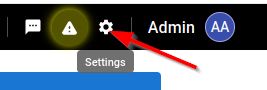
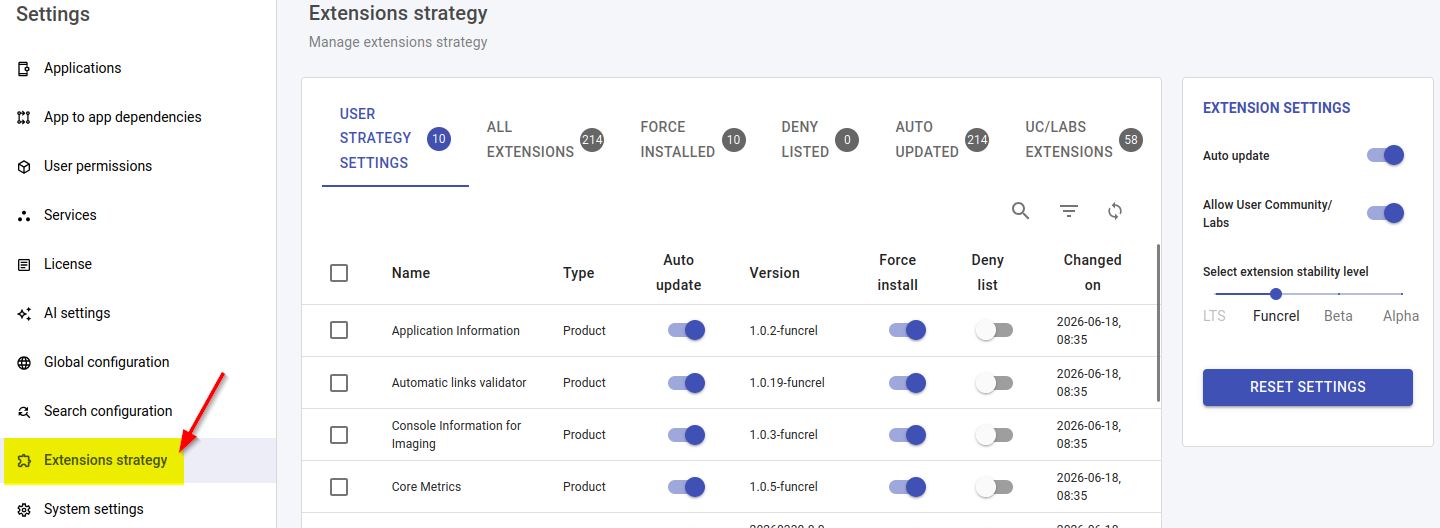
The pages below cover each part of the strategy:
- Default extension strategy settings - the out-of-the-box settings applied before you make any changes.
- Auto update extensions - control whether applications always use the latest release of their extensions.
- Choose an extension stability level - restrict which extension maturity levels (LTS, funcrel, beta, alpha) can be installed.
- Using Community/Labs extensions - allow or prevent the installation of User Community and Labs extensions.
- Force Install extensions - force a specific release of a specific extension to be installed in all applications.
- Blacklist/Deny specific extensions - prevent a specific extension from being made available for installation.
- General tips and rules - how extensions are downloaded, stored, and how release numbers are determined.